What You Will Learn
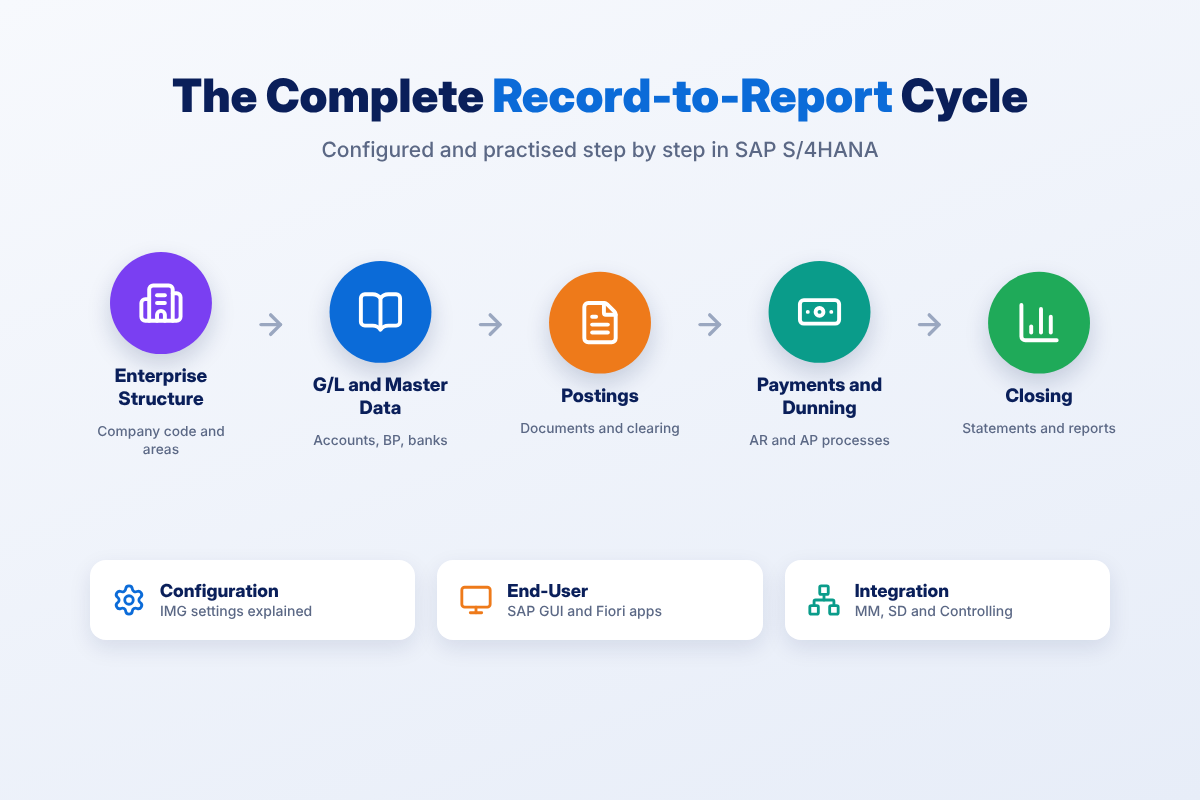
- Enterprise structure, fiscal year variant and posting period variant
- G/L accounts, document splitting, ledgers, currencies and accounting principles
- Business partner, customer, vendor, bank and house bank master data
- Taxes, tolerances, payment terms, clearing, payment program and dunning
- New Asset Accounting, cross-company postings and financial statement versions
- Controlling area, profit centers, cost centers, allocations and internal orders
- Integration with MM and SD, and period-end closing with the Financial Closing Cockpit
Who This Course Is For
SAP FICO consultants and anyone starting a career in SAP Finance
Accountants and finance key users
MM and SD consultants who need FICO integration knowledge
Learners preparing for the SAP S/4HANA Finance certification exam
Every process is shown in a real SAP S/4HANA system, with clear step-by-step demonstrations.
Configuration
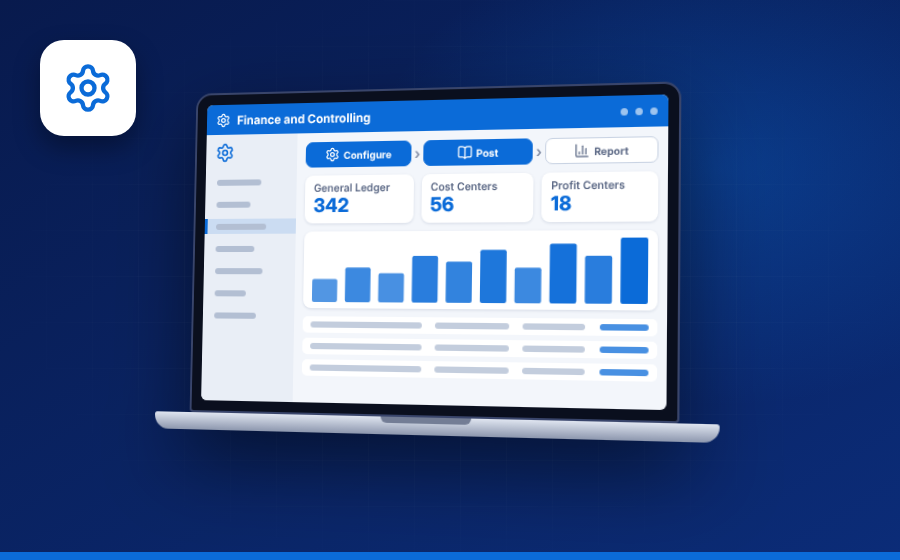
Learn the settings behind every finance process: enterprise structure, G/L, ledgers, taxes, payment program, dunning and asset accounting.
End-User Processes
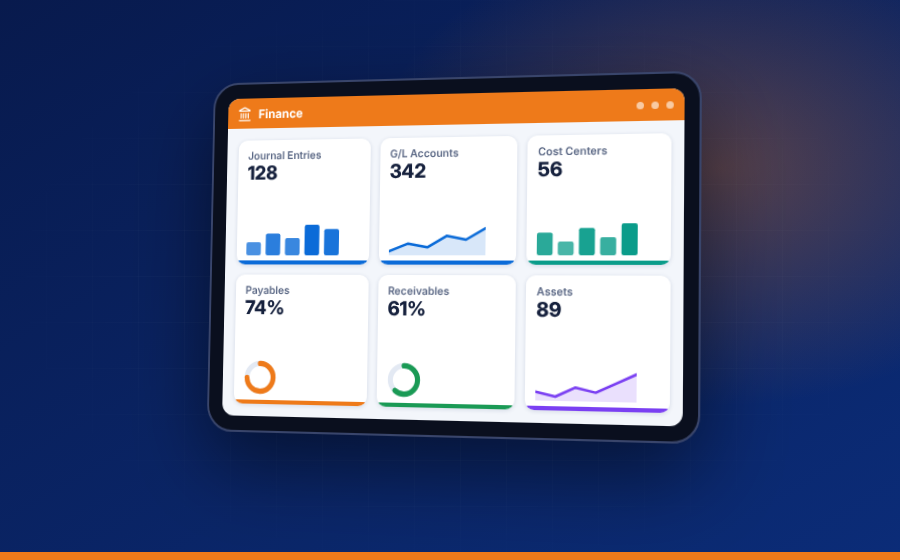
Practise daily tasks in SAP GUI and SAP Fiori: postings, clearing, payments, parking, recurring entries and reports.
Integration
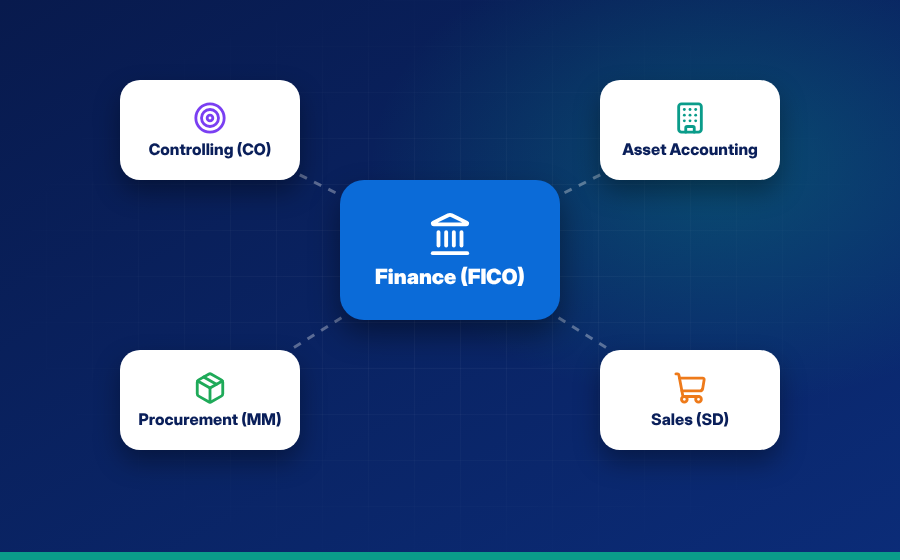
See how Finance works with Controlling, Procurement (MM) and Sales (SD), including automatic account determination.
Course Curriculum
- 1.1 Introduction to SAP S-4HANA (20:35)
- 1.2 Introduction to SAP S-4HANA Finance (3:28)
- 1.3 Introduction to SAP Fiori (vs SAP Gui) (9:52)
- 1.4 SAP S-4HANA Fiori Application Types (10:04)
- 1.5 Introduction to SAP Gui (20:32)
- 1.6 SAP S-4HANA Fiori Design Principles (6:15)
- 1.7 SAP Fiori Apps Library and SAP User Roles (7:37)
- 1.8 SAP S-4HANA Fiori Key Benefits (1:44)
- 1.9 Introduction to Universal Journal - ACDOCA Table (12:17)
- 1.10 Other Tables besides ACDOCA (1:25)
- 1.11 Simplification and Compatibility Views (4:44)
- 1.12 Organizational Benefits of Universal Journal (1:59)
- Section summary
- Section quiz
- 2.1 Business Scenario (0:54)
- 2.2 Enterprise Structure - Definition of Client (4:53)
- 2.3 Creation of Company Code (Configuration) (15:37)
- 2.4 Types of Projects (5:55)
- 2.5 Creation of Business Areas (Configuration) (7:00)
- 2.6 Define Company and Assignment of Company code to Company (Configuration) (7:00)
- 2.7 Customizing Requests Transport Organizer (13:35)
- 2.8 Blueprint Documentation and GAP Analysis (7:34)
- 2.9 Introduction to SAP Activate Methodology (68:12)
- 2.10 Section Summary (1:01)
- Section summary
- Section quiz
- 3.1 Business Scenario (1:27)
- 3.2 Variant Principle (1:10)
- 3.3 Fiscal Year Variant (3:07)
- 3.4 Calendar Fiscal Year (Configuration) (5:36)
- 3.5 Non-Calendar Fiscal Year with -1 Symbol (Configuration) (4:55)
- 3.6 Non-Calendar Fiscal Year with +1 Symbol (Configuration) (5:00)
- 3.7 Shortended Fiscal Year (Configuration) (7:35)
- 3.8 Assign Company code to the Fiscal Year Variant (2:02)
- 3.9 Posting Period Variant (Configuration and End-User) (18:09)
- Section summary
- Section quiz
- 4.1 Business Scenario (1:38)
- 4.2 Chart of Accounts (Configuration) (11:53)
- 4.3 G/L Account Groups, Number Ranges and Field Status (Configuration) (8:04)
- 4.4 Define Retained Earnings Account (Configuration) (5:55)
- 4.5 Field Status Variant (Configuration) (8:31)
- 4.6 G/L Master Data Creation (End-User) (36:48)
- 4.7 Retained Earnings Account Creation (End-User) (6:10)
- 4.8 Expense Account & Revenue Account Creation (End-User) (7:52)
- 4.9 Reconciliation Account Creation (End-User) (7:42)
- 4.10 Creation of G/L Master through SAP Fiori App (End-User) (8:17)
- 4.11 Archiving a G/L Account – Block for Posting & Mark for Deletion (End-User) (3:31)
- 4.12 Document Splitting (Configuration) (26:35)
- 4.13 Define Segment (Configuration) (5:24)
- 4.14 Section Summary (1:14)
- Section summary
- Section quiz
- 5.1 Business Scenario (2:36)
- 5.2 Maintain Controlling Area and its assignment with company codes (Configuration) (29:55)
- 5.3 Maintain Version 0 (Configuration) (10:07)
- 5.4 Profit Center Accounting (Configuration) (17:24)
- 5.5 Profit Center Master Data and Standard Hierarchy (End-User) (17:05)
- 5.6 Deletion of Profit Center (End-User) (4:37)
- 5.7 Copying Profit Center Group with Suffix (End-User) (2:09)
- 5.8 Default Profit Center to G/L Accounts (Configuration) (6:31)
- 5.9 SAP Fiori Creation of Profit Center Master Data (End-User) (6:55)
- 5.10 Cost Center Accounting Definition (1:52)
- 5.11 Cost Center Standard Hierarchy, Master Data and Functional Area (End-User) (27:30)
- 5.12 Deletion and Mass Update for Cost Centers (End-User) (5:40)
- 5.13 SAP Fiori Creation of Cost Center Master Data (End-User) (7:07)
- 5.14 Cost Elements as G-L Account Master Data (End-User) (14:53)
- 5.15 Cost Element Group (End-User) (6:48)
- 5.16 Default Account Assignment for Cost Center and Profit Center (Configuration) (7:48)
- Section summary
- Section quiz
- 6.1 Business Scenario (2:15)
- 6.2 Currency Types (Configuration) (5:25)
- 6.3 Currency Conversion Settings for Company Codes (Configuration) (7:25)
- 6.4 Exchanges Rates (Configuration) (8:32)
- 6.5 Leading Ledger 0L and its assignment with Accounting Principle (Configuration) (11:03)
- 6.6 Non-Leading Ledger and its assignment with Accounting Principle (Configuration) (7:44)
- 6.7 Ledger Group and its assignment with Accounting principle (Configuration) (5:47)
- 6.8 Assignment of Multiple Accounting Principles to the Non-leading Ledger (Configuration) (2:24)
- 6.9 Appendix Ledger and its assignment with Accounting Principle (Configuration) (7:15)
- 6.10 Summary (1:03)
- Section summary
- Section quiz
- 7.1 Introduction for integration of Controlling with Financial Accounting (0:56)
- 7.2 Define Document Types for Postings in Controlling (Configuration) (6:40)
- 7.3 Define Document Type Mapping Variants for CO Business Transactions (Configuration) (2:16)
- 7.4 Check and Define Default Values for Postings in Controlling (Configuration) (3:17)
- 7.5 Define Ledger for CO version (Configuration) (1:44)
- Section summary
- Section quiz
- 8.1 Business Scenario (0:58)
- 8.2 Obsolete Transaction Codes to create Customer and Vendor Master (5:01)
- 8.3 Introduction to Business Partner, Customer and Vendor Master Data (3:46)
- 8.4 Customer Account Groups with Screen Layout (Configuration) (7:40)
- 8.5 Define Screen Layout Overview (Configuration) (2:23)
- 8.6 Create and Assign Number Ranges for Customer Accounts (Configuration) (6:36)
- 8.7 Define and Assign BP Number Ranges to BP Customer Groupings (Configuration) (11:12)
- 8.8 Define Number Assignment for Direction BP to Customer (Configuration) (10:07)
- 8.9 BP Field Groupings (Configuration) (6:57)
- 8.10 Creation of Business Partner Master Data & Customer Master Data (End-User) (19:09)
- 8.11 SAP Fiori Creation of BP Master Data & Customer Master Data (End-User) (7:58)
- 8.12 Creation of One-time Customer Master Data (End-User) (5:58)
- 8.13 Customer Summary (1:14)
- 8.14 Vendor Account Groups with Screen Layout (Configuration) (8:29)
- 8.15 Create and Assign Number Ranges for Vendor Accounts (Configuration) (3:53)
- 8.16 Define and Assign BP Number Ranges to BP Vendor Groupings (Configuration) (7:06)
- 8.17 Define Number Assignment for Direction BP to Vendor (Configuration) (6:41)
- 8.18 Creation of Business Partner Master Data & Vendor Master Data (End-User) (14:39)
- 8.19 SAP Fiori Creation of BP Master Data & Vendor Master Data (End-User) (6:56)
- 8.20 Creation of One-time Vendor Master Data (End-User) (10:39)
- 8.21 Vendor Summary (1:17)
- 8.22 Customer as Vendor and Vendor as Customer Clearing (End-User) (5:42)
- 8.23 Matchcodes - Check and Prevent Duplication for Customer and Vendor Master Data (Configuration) (4:12)
- 8.24 Message Control - Check and Prevent Duplication for Customer and Vendor Master Data (Configuration) (6:10)
- 8.25 Summary (0:48)
- Section summary
- Section quiz
- 9.1 Business Scenario and Introduction to Bank Master Data and House Bank (4:18)
- 9.2 Country-Specific Checks under SAP NetWeaver (Configuration) (4:53)
- 9.3 Manage House Bank and Bank Master (End-User) (6:50)
- 9.4 SAP Business Client - Maintain link between House Bank and G-L Account (End-User) (11:09)
- Section summary
- Section quiz
- 10.1 Business Scenario (1:10)
- 10.2 Documents in SAP S-4HANA Finance (End-User) (2:34)
- 10.3 Document Structure in SAP S-4HANA Finance and Fiori (End-User) (6:36)
- 10.4 Document Types in SAP Document Structure (Configuration and End-User) (4:55)
- 10.5 Document Number Ranges (Configuration and End-User) (5:47)
- 10.6 Posting Keys in SAP Documents (Configuration and End-User) (5:10)
- 10.7 Default Values - Document Types and Posting Keys (Configuration and End-User) (4:12)
- 10.8 Summary (0:28)
- Section summary
- Section quiz
- 12.1 Business Scenario and SAP Mapping (2:22)
- 12.2 Basic Settings - Tax Calculation Procedure (Configuration) (17:14)
- 12.3 Calculation - Tax Codes and Base Amount (Configuration) (8:32)
- 12.4 Posting - Define Input and Output Taxes G/L Accounts (Configuration & End-User) (14:55)
- 12.5 Classify Tax G/L Accounts for Document Splitting (Configuration) (4:03)
- 12.6 Updating Purchase and Sales G/L Accounts with relevant Tax categories (End-User) (1:38)
- 12.7 Assign Tax codes for Non-Taxable Transactions (Configuration) (1:26)
- 12.8 Document Entry with Tax Code (End-User) (9:04)
- 12.9 Summary (0:53)
- Section summary
- Section quiz
- 13.1 Business Scenario and SAP Mapping (1:01)
- 13.2 Tolerance Groups for Employees (Configuration) (10:19)
- 13.3 Create G/L Accounts for Clearing Differences (Configuration and End-User) (10:52)
- 13.4 Tolerance Groups for G/L Accounts (Configuration) (8:08)
- 13.5 Tolerance Groups for Customer/Vendor (Configuration) (11:11)
- 13.6 Assign Tolerance Groups in Customer and Vendor Master Data (End-User) (2:52)
- 13.7 Define G/L Accounts for Clearing Differences By Reason Code (Configuration) (4:54)
- 13.8 Document Entry with Tolerance Limits (End-User) (3:16)
- 13.9 Summary (0:42)
- Section summary
- Section quiz
- 14.1 Business Scenario and SAP Mapping (1:00)
- 14.2 Introduction to SAP NetWeaver (0:25)
- 14.3 Currencies and Exchange Rates through SAP NetWeaver (Configuration) (0:35)
- 14.4 Check Exchange Rate Types (Configuration) (3:22)
- 14.5 Exchange Rate Tools (Configuration) (0:25)
- 14.6 Reference Currency Tool (Configuration) (2:42)
- 14.7 Exchange Rate Spread Tool (Configuration) (1:43)
- 14.8 Currency Inversion Tool (Configuration) (2:55)
- 14.9 Define Translation Ratios for Currency Translation (Configuration) (5:08)
- 14.10 Enter Exchange Rates (Configuration) (7:39)
- 14.11 Maintain Exchange Rate Spread Overview (Configuration) (1:30)
- 14.12 Introduction to Exchange Rate Differences (1:00)
- 14.13 Exchange Rate Differences for Open Item Clearing and G/L Accounts (Configuration) (33:24)
- 14.14 SAP Fiori Automatic Account Determination for FCV (Configuration) (6:46)
- 14.15 Exchange Rate Differences using Exchange Rate Key (Configuration) (2:52)
- 14.16 Overview for Foreign Currency Valuation as Periodic Processing (End-User) (3:50)
- 14.17 Classify Exchange Rate Difference G/L Accounts for Document Splitting (Configuration) (4:18)
- 14.18 Summary (0:34)
- Section summary
- Section quiz
- 15.1 Business Scenario and Introduction (0:48)
- 15.2 Holding Documents (End-User) (8:40)
- 15.3 Parking Documents G/L (End-User) (11:42)
- 15.4 Parking Documents A/R (End-User) (12:40)
- 15.5 Parking Documents A/P (End-User) (9:30)
- 15.6 SAP Fiori Document Parking (End-User) (8:33)
- Section summary
- Section quiz
- 16.1 Business Scenario (0:37)
- 16.2 G/L Document Posting and Display Line Items and Balances (End-User) (14:06)
- 16.3 Customer Invoice/Credit Posting and Display Line Items and Balances (End-User) (15:06)
- 16.4 Vendor Invoice Posting and Display Line Items and Balances (End-User) (9:27)
- 16.5 Posting of the invoice with document splitting (End-User) (3:41)
- 16.6 Posting of Accounting Documents - Cost Center and Profit Center (End-User) (3:20)
- 16.7 SAP Fiori Document Posting and Overview of Customer and Vendor Apps (End-User) (6:11)
- 16.8 Post One-time Customer and Vendor Invoice (End-User) (8:12)
- 16.9 SAP List Viewer Tool and Display Layout Variant (End-User) (23:51)
- 16.10 Universal Journal (ACDOCA) - Display Line Items (End-User) (9:21)
- 16.11 Prima Nota (End-User) (5:36)
- Section summary
- Section quiz
- 17.1 Business Scenario and SAP Mapping (0:48)
- 17.2 Introduction to Reference Documents (End-User) (0:49)
- 17.3 Account Assignment Model (End-User) (19:49)
- 17.4 Recurring Document (End-User) (4:40)
- 17.5 Recurring Document Periodic Processing (End-User) (15:16)
- 17.6 Sample Document (End-User) (6:04)
- Section summary
- Section quiz
- 18.1 Business Scenario (1:22)
- 18.2 Payment Terms (Configuration) (13:21)
- 18.3 Customer Invoice Posting Without Terms of Payment (End-User) (2:43)
- 18.4 Update Customer with Terms of Payment (End-User) (2:08)
- 18.5 Customer Invoice Posting With Terms of Payment (End-User) (3:11)
- 18.6 Vendor Invoice Posting without Terms of Payment (End-User) (1:06)
- 18.7 Update Vendor with Terms of Payment and Invoice Posting (End-User) (2:52)
- 18.8 Payment Terms for Credit Memos with Invoice Reference (End-User) (7:54)
- 18.9 Payment Terms for standalone Credit Memos (End-User) (4:11)
- 18.10 Define Cash Discount G/L Accounts (Configuration) (12:00)
- 18.11 Classify Cash Discount G/L Accounts for Document Splitting (Configuration) (4:00)
- 18.12 Summary (0:42)
- Section summary
- Section quiz
- 19.1 Business Scenario and Introduction to Document Clearing (2:18)
- 19.2 Account Clearing for G/L (End-User) (7:33)
- 19.3 Account Clearing for Customer - A/R (End-User) (4:12)
- 19.4 Account Clearing for Vendor - A/P (End-User) (3:04)
- 19.5 Post With Clearing for G/L (End-User) (7:53)
- 19.6 Post Incoming Payments With Cash Discount for Customers - A/R (End-User) (7:24)
- 19.7 Post Outgoing Payments With Cash Discount for Vendors - A/R (End-User) (6:15)
- 19.8 Post Exchange Rate Differences for Foreign Customer Payment (End-User) (14:34)
- 19.9 Partial Payments - A/R, A/P (End-User) (10:16)
- 19.10 Residual Payments - A/R, A/P (End-User) (11:37)
- 19.11 Post Payment Differences within Tolerance Limits - A/R, A/P (End-User) (4:18)
- 19.12 Distribute Payment Differences by Reason Code - A/R, A/P (End-User) (4:44)
- 19.13 Distribute Charge-off Payment Differences - A/R, A/P (End-User) (5:07)
- Section summary
- Section quiz
- 20.1 Business Scenario and Introduction to Automatic Payment Program (3:26)
- 20.2 Automatic Payment Program (Configuration) (43:52)
- 20.3 Introduction to Automatic Payment Program (End-User) (3:09)
- 20.4 Update Customers and Vendors for Automatic Payment Program (End-User) (8:53)
- 20.5 Automatic Payment Program Execution (End-User) (28:57)
- 20.6 Debit Balance Check (End-User) (2:44)
- 20.7 Printout and Delete APP (End-User) (1:13)
- 20.8 Scheduled Payment Run (End-User) (2:20)
- Section summary
- Section quiz
- 21.1 Business Scenario and Introduction to Special G/L Transactions and Down Payment (7:35)
- 21.2 G/L Creation, Customer Down Payment and Vendor Down Payment (Configuration) (24:04)
- 21.3 Customer Down Payment (End-User) (26:45)
- 21.4 Vendor Down Payment (End-User) (26:36)
- 21.5 Other Special G/L Indicators for Customer/Vendor Invoices (Config & End-User) (14:09)
- Section summary
- Section quiz
- 22.1 Business Scenario and Introduction to Document Reversal Posting (0:44)
- 22.2 Normal Reversal Posting (Configuration and End-User) (14:10)
- 22.3 Negative Reversal Posting and Mass Reversal (Configuration and End-User) (13:59)
- 22.4 Business Scenario and Introduction to Reset Cleared Items (1:04)
- 22.5 Reset Cleared Items Execution (End-User) (10:37)
- 22.6 Reset Clearing Document with Exchange Rate Differences (End-User) (5:48)
- Section summary
- Section quiz
- 23.1 Business Scenario and SAP Mapping (0:43)
- 23.2 Validations in SAP Documents (Configuration and End-User) (17:47)
- 23.3 Substitutions in SAP Documents (Configuration and End-User) (14:18)
- 23.4 Posting Control - Document Changes (End-User) (4:58)
- 23.5 Document Change Control (Configuration and End-User) (6:37)
- Section summary
- Section quiz
- 24.1 Business Scenario and Introduction to Cash Journal (2:44)
- 24.2 Cash Journal (Configuration) (25:17)
- 24.3 Cash Journal (End-User) (24:38)
- 24.4 Business Scenario and Introduction to Bank Reconciliation (18:07)
- 24.5 Manual Bank Reconciliation (Configuration) (17:18)
- 24.6 Manual Bank Reconciliation (End-User) (33:08)
- Section summary
- Section quiz
- 25.1 Business Scenario and Introduction to Automatic Dunning (2:30)
- 25.2 Automatic Dunning (Configuration) (8:39)
- 25.3 Define Dunning Procedure (Configuration) (19:09)
- 25.4 Update Customers and Vendors with the assignment of Dunning Procedure (End-User) (4:05)
- 25.5 Check Overdue Items for Customers Payment and Vendors Refund (End-User) (4:29)
- 25.6 Create Overdue Items for Customers (End-User) (2:45)
- 25.7 Automatic Dunning Execution (End-User) (22:31)
- 25.8 List of Reasons for No Dunning Execution of Overdue Items (0:45)
- Section summary
- Section quiz
- 27.1 Business Scenario and Introduction to Financial Statement Version (4:41)
- 27.2 Financial Statement Version Hierarchy Levels (Configuration) (31:48)
- 27.3 Assign G/L Accounts to FSV (Configuration) (25:37)
- 27.4 Financial Statement View with FSV (End-User) (8:45)
- 27.5 SAP S/4HANA Finance - Information System (End-User) (1:13)
- Section summary
- Section quiz
- 28.1 Business Scenario and Introduction to Asset Accounting (1:55)
- 28.2 Activate New Asset Accounting (Configuration) (1:33)
- 28.3 Chart of Depreciation (Configuration) (5:03)
- 28.4 Depreciation Areas and their assignment of Ledger group through Accounting principles (Configuration) (11:49)
- 28.5 Specify Transfer of APC Values and Depreciation Terms (Configuration) (7:23)
- 28.6 Specify the Use of Parallel Currencies (1:49)
- 28.7 Assign Chart of Depreciation to Company code (Configuration) (1:45)
- 28.8 Definition of Asset Classes and their Control Parameters (1:44)
- 28.9 Creation of Account Determination (Configuration) (4:22)
- 28.10 Creation of Screen Layout Rules (Configuration) (5:01)
- 28.11 Screen Layout for Asset Master Data and Depreciation Areas (Configuration) (9:30)
- 28.12 Number Ranges Interval (Configuration) (3:51)
- 28.13 Document Types with Number Range for Entry View in a Ledger (Configuration) (7:07)
- 28.14 Define Asset Classes (Configuration) (13:45)
- 28.15 Creation of Asset G/L Accounts for Integration (End-User) (32:15)
- 28.16 Integration between New Asset Accounting and G/L Accounting (Configuration) (16:21)
- 28.17 Classify Asset G/L Accounts for Document Splitting (Configuration) (3:30)
- 28.18 Technical Clearing Account for Integrated Asset Acquisition (Configuration) (9:55)
- 28.19 Assign Input Tax Indicator for Non-Taxable Acquisitions (Configuration) (2:07)
- 28.20 Specify Financial Statement Version for Asset Reports (Configuration) (1:29)
- 28.21 Specify Posting Key for Asset Posting and Document Type for Depreciation Posting (Config) (5:13)
- 28.22 Activate Segment Reporting (Configuration) (0:37)
- 28.23 Additional Account Assignment Objects (Configuration) (7:34)
- 28.24 Maintain Depreciation Keys and Calculation Methods (Configuration) (17:36)
- 28.25 Determine Depreciation Areas in the Asset Class and for Special Depreciation (Configuration) (14:53)
- 28.26 Define Transaction types for Acquisitions, Retirements and Transfers (Config) (11:24)
- 28.27 Assign Form for Asset History Sheet (Configuration) (3:57)
- 28.28 Asset Balance Carryforward to the currency year for all the ledgers (Config) (6:07)
- 28.29 Define Asset Transfer Date and Additional Parameters / Year-End Closing (Config) (11:07)
- Section summary
- Section quiz
- 29.1 Creation of Segments, Profit Centers and Cost Centers for Assets (End-User) (16:57)
- 29.2 Creation of Asset Master Record (End-User) (24:54)
- 29.3 Introduction to Asset Explorer - AW01N (End-User) (6:29)
- 29.4 Asset Acquisitions With Vendor and Technical Clearing Account (End-User) (10:51)
- 29.5 Display Asset and Accounting Documents (End-User) (6:18)
- 29.6 Asset Acquisition With/Automatic Offsetting Entry - Without Vendor (End-User) (30:30)
- 29.7 Capitalization of Asset Underconstruction (End-User) (7:32)
- 29.8 Settlement Profile to capitalize AuC (Configuration) (5:32)
- 29.9 Distribution Rules to capitalize AuC (End-User) (5:29)
- 29.10 Execute Settlement to capitalize AuC (End-User) (6:51)
- 29.11 Reverse AuC (End-User) (3:28)
- 29.12 Reverse Other Asset Document (End-User) (4:06)
- 29.13 Asset Transfer within Company code (End-User) (9:10)
- 29.14 Intercompany Asset Transfer within two Company codes (End-User) (23:32)
- 29.15 Asset Retirement or Sale With Customer (End-User) (15:22)
- 29.16 Asset Retirement or Sale Without Customer (End-User) (9:53)
- 29.17 Asset Retirement by Scrapping (End-User) (3:49)
- 29.18 Asset Subsequent Revenue (End-User) (3:06)
- 29.19 Asset Subsequent Costs (End-User) (2:19)
- 29.20 Asset Post-Capitalization (End-User) (8:25)
- 29.21 Asset Miscellaneous Processes (End-User) (4:36)
- 29.22 Manual Depreciation Posting or Correction (End-User) (5:54)
- 29.23 Unplanned Depreciation Posting or Correction (End-User) (3:38)
- 29.24 Edit Asset Document (End-User) (3:03)
- 29.25 Balance Sheet Revaluation (End-User) (14:10)
- 29.26 Execute Depreciation Run - Periodic Processing (End-User) (16:49)
- 29.27 Asset Information System or Asset Reports (End-User) (6:23)
- 29.28 Fiscal Year Change - Balance carryforward (End-User) (5:09)
- 29.29 Year-End Closing (End-User) (3:28)
- 29.30 Architectural Changes in SAP S/4HANA New Asset Accounting (3:20)
- Section summary
- Section quiz
- 30.1 Business Scenario and Introduction to Cross-company code Transactions (9:45)
- 30.2 Pre-requisites to prepare Cross-Company Code Transactions (Configuration) (13:25)
- 30.3 Cross-Company Code Transaction Example 1 (End-User) (9:55)
- 30.4 Cross-Company Code Transactions Example 2 (Configuration and End-User) (8:22)
- 30.5 Cross-Company Code Transactions Example 3 (End-User) (4:16)
- Section summary
- Section quiz
- 32.1 Business Scenario and Introduction to Direct Activity Allocation (3:05)
- 32.2 Secondary Cost Element for Direct Activity Allocation (End-User) (5:04)
- 32.3 Activity Type for Direct Activity Allocation (End-User) (11:41)
- 32.4 Activity Type or Price - Plan for Direct Activity Allocation (End-User) (16:28)
- 32.5 Price Postings - Actual (End-User) (4:14)
- 32.6 Direct Activity Allocation - Actual (End-User) (10:19)
- 32.7 Reversal of Actual Direct Activity Allocation (End-User) (2:02)
- 32.8 Business Scenario and Introduction to Indirect Activity Allocation (End-User) (1:30)
- 32.9 Secondary Cost Element for Indirect Activity Allocation (End-User) (1:43)
- 32.10 Activity Type for Indirect Activity Allocation (End-User) (6:13)
- 32.11 Activity Type/Price - Plan for Indirect Activity Allocation (End-User) (7:48)
- 32.12 Create Plan Indirect Activity Allocation Cycle (Configuration) (12:10)
- 32.13 Execute Plan Indirect Activity Allocation Cycle (End-User) (6:02)
- 32.14 Sender Activities - Actual (End-User) (3:13)
- 32.15 Create Actual Indirect Activity Allocation Cycle (Configuration) (4:21)
- 32.16 Execute Actual Indirect Activity Allocation Cycle (Period-End Closing) (6:37)
- 32.17 Reversal of Plan and Actual Indirect Activity Allocation Cycle (End-User) (2:11)
- Section summary
- Section quiz
- 33.1 Business Scenario and Introduction (3:38)
- 33.2 Primary Cost Element Planning (End-User) (6:27)
- 33.3 Create and Execute Plan Distribution Cycle with Information System (End-User) (14:47)
- 33.4 Reversal of Plan Distribution Cycle (End-User) (1:04)
- 33.5 Actual Posting for Primary Cost Element (End-User) (4:17)
- 33.6 Create and Execute Actual Distribution Cycle - Period-End Closing (End-User) (10:02)
- 33.7 Display Accounting Documents (End-User) (2:22)
- 33.8 Reversal of Actual Distribution Cycle (End-User) (0:57)
- 33.9 Assessment for Cost Centers (End-User) (2:08)
- 33.10 Assessment Secondary Cost Element and Primary Cost Element Planning (End-User) (5:01)
- 33.11 Create and Execute Plan Assessment Cycle and its Reversal (End-User) (13:02)
- 33.12 Actual Posting (End-User) (4:08)
- 33.13 Create and Execute Actual Assessment Cycle with Secondary Cost Element (End-User) (12:03)
- 33.14 Reversal of Actual Assessment Cycle (End-User) (1:37)
- 33.15 Define Allocation Structure (Configuration) (6:37)
- 33.16 Create and Execute Actual Assessment Cycle with Allocation Structure (End-User) (9:24)
- 33.17 Distribution and Assessment Cycles for Profit Centers (End-User) (1:35)
- Section summary
- Section quiz
- 34.1 Business Scenario and Introduction to Periodic Reposting in Controlling (3:26)
- 34.2 Primary Cost Element Planning (End-User) (2:27)
- 34.3 Create and Execute Plan Periodic Reposting Cycle (End-User) (8:13)
- 34.4 Actual Posting with Primary Cost Element (End-User) (2:13)
- 34.5 Create and Execute Actual Periodic Reposting Cycle - Period-End (End-User) (8:13)
- Section summary
- Section quiz
- 35.1 Business Scenario and Introduction to Internal Order (3:56)
- 35.2 Activate Order Management in Controlling Area (Configuration) (1:38)
- 35.3 Internal Order Type - Part 01 (Configuration) (5:49)
- 35.4 Settlement Profile - Part 01 (Configuration) (3:18)
- 35.5 Allocation Structure and Secondary Cost Element for Internal Order (Configuration) (6:48)
- 35.6 Settlement Profile - Part 02 (Configuration) (3:51)
- 35.7 Planning Profile (Configuration) (4:40)
- 35.8 Budget Profile (Configuration) (5:38)
- 35.9 Model Order (Configuration) (2:36)
- 35.10 Status Management/Profile (Configuration) (6:37)
- 35.11 Internal Order Type - Part 02 (Configuration) (11:50)
- 35.12 Real Internal Order vs Statistical Internal Order (End-User) (2:00)
- 35.13 Creation of Real Internal Order Master Data (End-User) (13:45)
- 35.14 Creation of Real Internal Order Master Data with User Status (End-User) (3:46)
- 35.15 Creation of Statistical Internal Order Master Data (End-User) (4:20)
- 35.16 Creation of Internal Order Group (End-User) (3:35)
- 35.17 Posting into Internal Orders - Actual (End-User) (13:48)
- 35.18 Internal Order Settlement - Period-End Closing (End-User) (6:03)
- 35.19 Internal Order Planning - Integrated (Pre-requisites and Configuration) (9:30)
- 35.20 Internal Order Planning for Primary Costs and Overall (End-User) (6:05)
- 35.21 Internal Order Planning - Copy Actual to Plan (End-User) (10:05)
- 35.22 Information System or Reports - Internal Orders (End-User) (0:40)
- Section summary
- Section quiz
- 36.1 Business Scenario and Introduction to Statistical Key Figures (2:07)
- 36.2 Creation of Statistical Key Figures & its comparison to Activity Types-End-User (8:27)
- 36.3 Statistical Key Figures - Plan Data (End-User) (5:51)
- 36.4 Statistical Key Figures - Actual Data (End-User) (5:32)
- 36.5 Allocation with SKF as Tracing Factors in Distribution Cycle (End-User) (1:32)
- Section quiz
- 38.1 Business Scenario and MM Hierarchy (3:00)
- 38.2 Enterprise Structure (Configuration) (5:43)
- 38.3 Open/Close Period for Material Master Records (End-User) (5:47)
- 38.4 Vendor Master Data with Purchasing Organization Segment (End-User) (7:42)
- 38.5 Define G/L Accounts for MM - Part 01 - T-Code: OBYC (Configuration) (3:35)
- 38.6 Valuation Modifier/Valuation Grouping Code (Configuration) (4:07)
- 38.7 Valuation Class (Configuration) (8:42)
- 38.8 General Modification/Account Modification (Configuration) (3:41)
- 38.9 Define G/L Accounts for MM - Part 02 (Configuration) (14:48)
- 38.10 Material Master Data - Trading and Finished Goods (End-User) (11:00)
- 38.11 Procurement to Payment Cycle and Accounting Documents (End-User) (24:30)
- 38.12 Asset Acquistion with Materials Management (End-User) (10:14)
- 38.13 Posting into Cost Center with Materials Management (End-User) (9:47)
- Section summary
- Section quiz
- 39.1 Business Scenario and SD Hierarchy (2:31)
- 39.2 SD Enterprise Structure (Configuration) (4:38)
- 39.3 Customer Master Data with Sales Organization Segment (End-User) (9:14)
- 39.4 Material Master Data - SD and FI Integration Points (End-User) (5:42)
- 39.5 Define Revenue G/L Accounts (Configuration) (17:13)
- 39.6 Assign Cost Centers and Dunning Areas (Configuration) (2:24)
- 39.7 Create Condition Records for Condition Types (End-User) (6:45)
- 39.8 Document Structure, Order Types and Pricing Procedure (Config and End-User) (5:16)
- 39.9 Order to Cash Cycle and Accounting Documents (End-User) (17:13)
- Section summary
- Section quiz
- 40.1 Business Scenario (1:57)
- 40.2 Accruals and Deferrals in SAP S/4HANA Finance (End-User) (19:23)
- 40.3 Foreign Currency Valuation in SAP S/4HANA Finance (Configuration) (11:34)
- 40.4 Foreign Currency Valuation in SAP S/4HANA Finance (End-User) (11:28)
- 40.5 Postings in Special Periods (End-User) (11:17)
- 40.6 SAP S/4HANA Financial Closing Cockpit Business Scenario (12:55)
- 40.7 SAP S/4HANA Financial Closing Cockpit (Customizing) (22:42)
- 40.8 SAP S/4HANA Financial Closing Cockpit - Preparation (End-User) (8:01)
- 40.9 SAP Financial Closing Cockpit - Execution (End-User) (6:22)
- Section summary
- Section quiz
Your Instructor: Rana W Mehmood
I am an SAP S/4HANA Trainer and Consultant with experience in SAP Finance (FICO), Sales and Distribution (SD), Materials Management (MM), SAP Fiori and SAP Data Migration.
My courses focus on practical, real-world business scenarios, so you build confidence through hands-on, step-by-step demonstrations in a real SAP S/4HANA system.

More SAP S/4HANA Courses
Continue your learning with these courses from ALGOTIQ ACADEMY.